Built for Shared Timing, Not Solo Countdowns
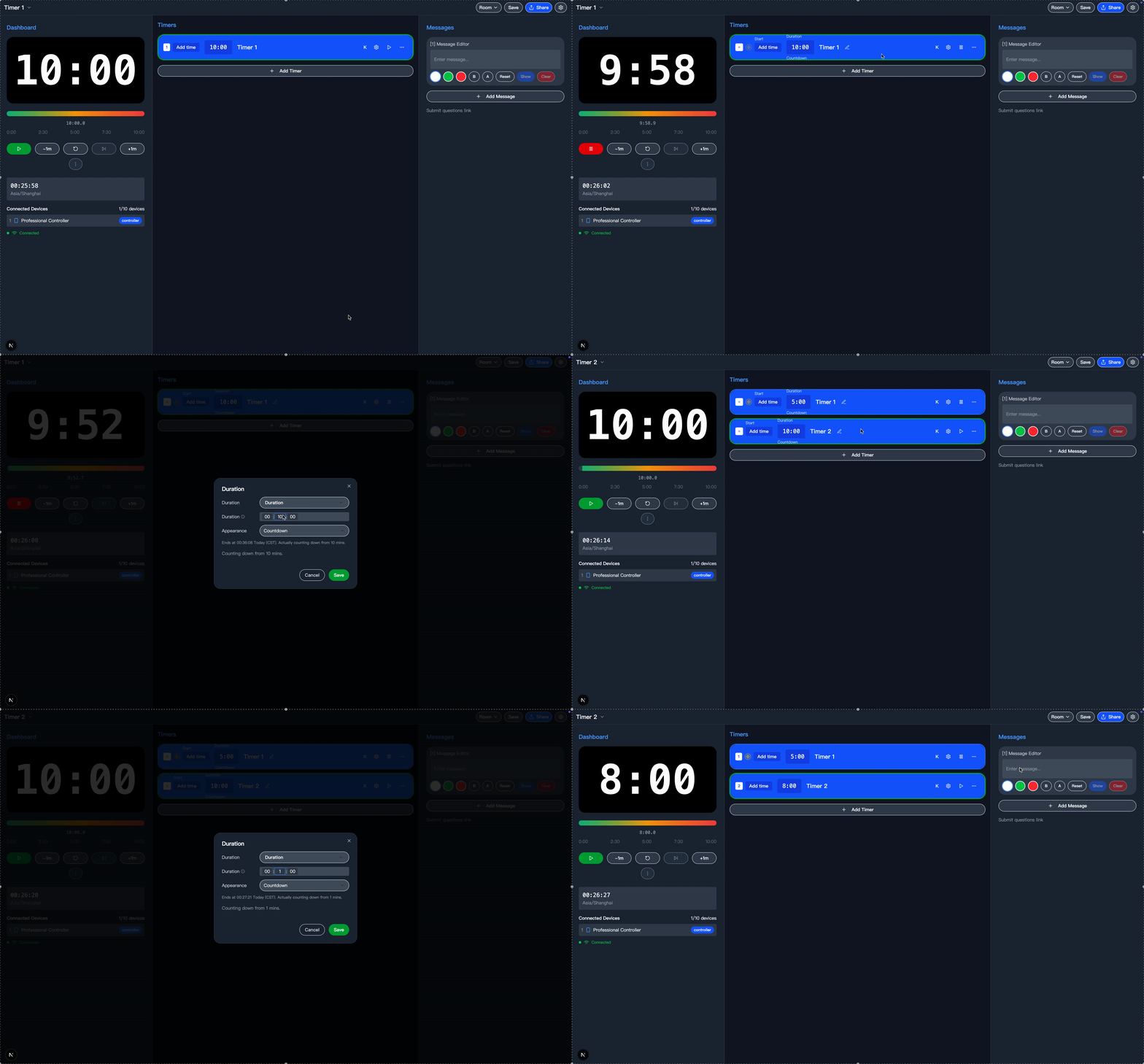
Interval Timer works best when multiple people need the same timing information in different ways. One room gives your team a controller, a shared display, and an agenda view.
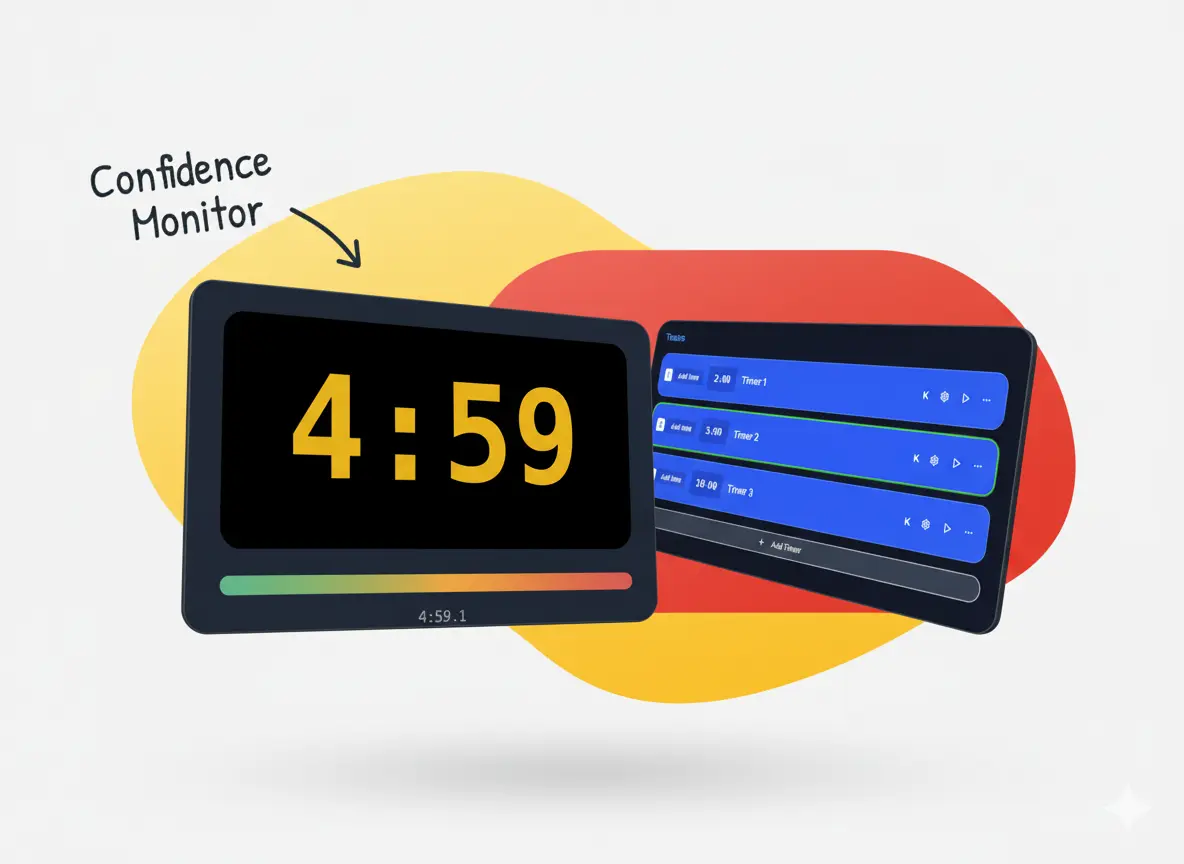
- Speakers & ConferencesKeep speakers on time, show countdowns on confidence monitors, and give stage managers a reliable controller during talks, panels, and keynotes.
- Workshops & Training SessionsRun multi-step sessions with activities, breakouts, break timers, and wrap-up cues so facilitators, participants, and support staff stay aligned.
- Live Productions & Stream TeamsShare synchronized timing across producer screens, presenter displays, and audience-facing views for webinars, livestreams, and hybrid events.
Why Teams Need More Than a Basic Timer
When a session has speakers, operators, and attendees, a single-device countdown is not enough. You need shared timing, clear roles, and a way to adjust live without losing the room.
How a Shared Timer Room Works
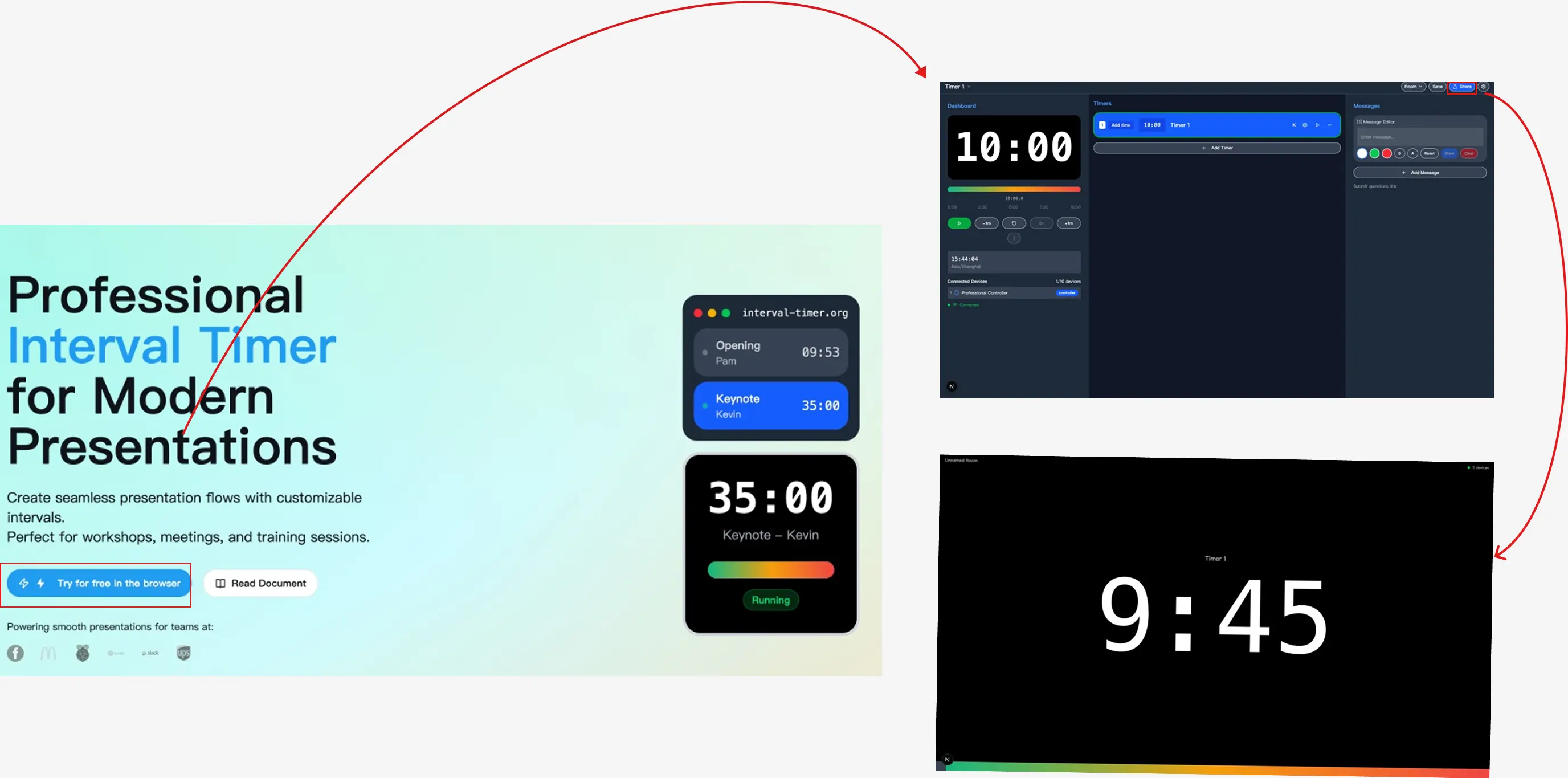
Set up a room once, then give each person the view they need.
What Makes Interval Timer Different
This is not just a browser countdown. It is built for shared timing workflows where multiple people rely on the same schedule.
Controller, Display, and Agenda Roles
Different people need different interfaces. Operators control the room while presenters and participants follow the view that matches their job.
Real-Time Multi-Device Sync
Keep timing aligned across laptops, tablets, phones, and venue displays without building a local setup.
Live Session Controls
Pause, reset, adjust, and move through timing blocks during a live session when the schedule changes.
Shareable Browser-Based Access
Open the room instantly in a browser and share role-specific links without asking your team to install anything.
Visible Timing Cues
Use countdowns, warnings, messages, and role-based displays to keep speakers and staff aware of the live schedule.
Ready for Repeatable Workflows
Built for teams that run sessions again and again, not just for people who need a one-off countdown on a single screen.
Frequently Asked Questions
Have another question? Contact us for support.
What makes this different from a normal online timer?
Interval Timer is designed for shared timing, not just solo countdowns. One room can power a controller for operators, a display for presenters or venue screens, and an agenda view for people who only need the schedule.
Do I need to install software?
No. The core experience runs in the browser, so your team can open the room on laptops, tablets, phones, or venue screens without installing a desktop app.
Who is this best for?
It is best for speakers, conference organizers, workshop facilitators, training teams, webinar hosts, and live production crews who need multiple people to follow the same timing plan.
Can I create multiple timing blocks for one session?
Yes. You can build a room around multiple timed segments such as introductions, speaker slots, Q&A, breaks, and transitions instead of relying on a single countdown.
Can I share different links with different people?
Yes. You can share role-specific access for controller, display, and agenda views so each person opens the room with the right level of control.
What kinds of sessions does this work well for?
It works well for conferences, speaker sessions, workshops, internal training, webinars, livestreams, and hybrid events where timing has to stay visible and coordinated across multiple screens.
Start a Shared Timer Room
Launch a controller, share a display, and keep your next session on schedule.